Canvas grade calculator
What do I need on the final?
Docket shows every Canvas class grade in one place, and lets you try what-if scores on any assignment to see exactly what it would do to your grade.
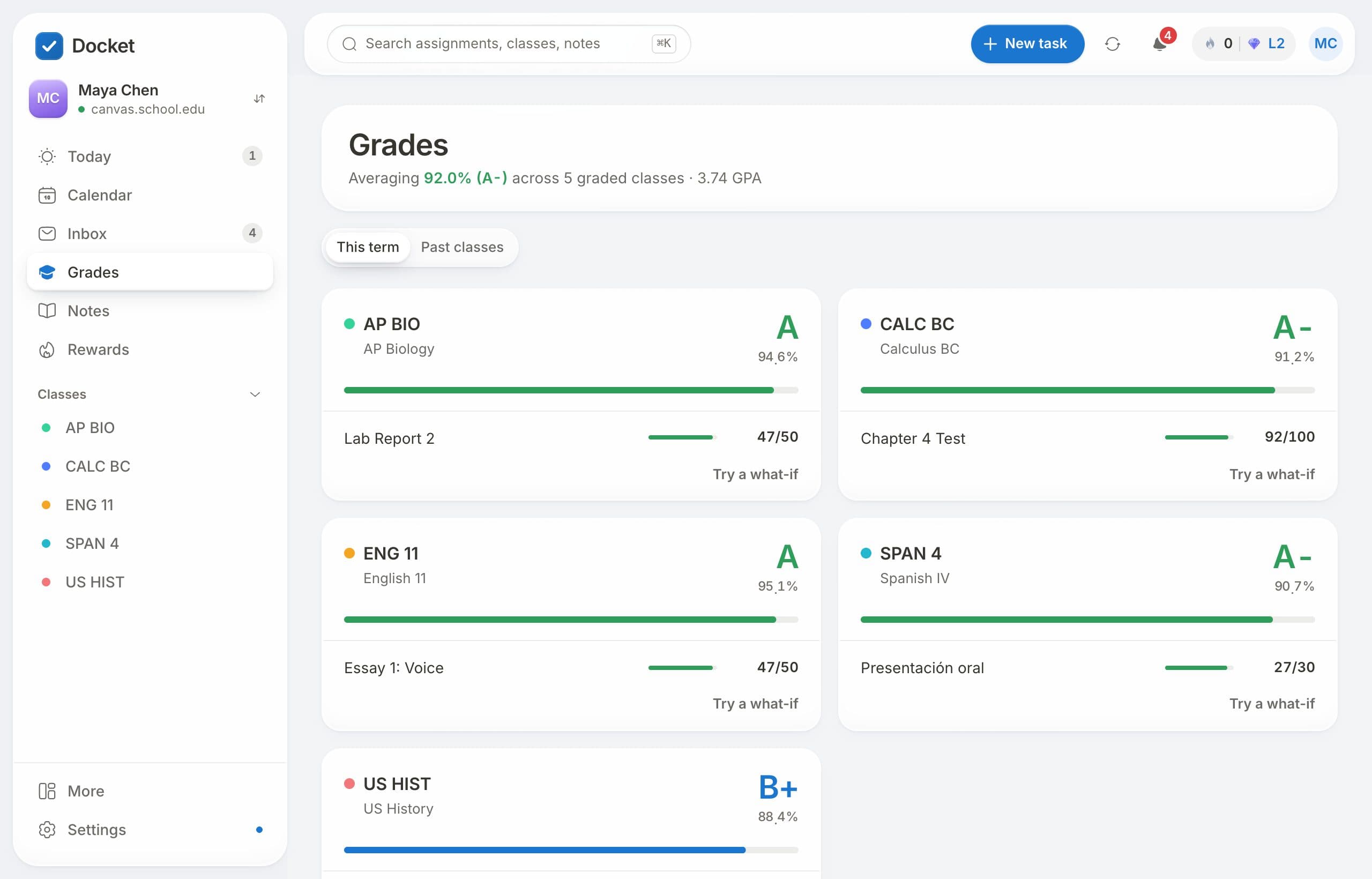
Every grade, one page
The Grades page shows each class with its letter grade and percentage, plus the work that was graded most recently, so you can see where you stand without opening every class.
Try a what-if score
- Open a class on the Grades page.
- Type a score you might get on an upcoming test or a missing assignment.
- See your new class grade right away, using your class's real weights.
Know when a grade comes in
Turn on notifications and Docket tells you when a new grade is posted, so you don't have to keep checking.
Questions
Does it use my class's real weights?
Yes. Docket uses the assignment groups and weights your teacher set in Canvas, the same way Canvas works out your grade.
Does trying a what-if score change anything in Canvas?
No. What-if scores only live in Docket, so nothing changes for your teacher.
Is it free?
Yes. Docket is free for students.
Free for every student on Canvas.
Connect your school's Canvas in about a minute. No ads, and your data is never sold.
Get Docket free