Canvas Student app alternative
Canvas, organized around your week.
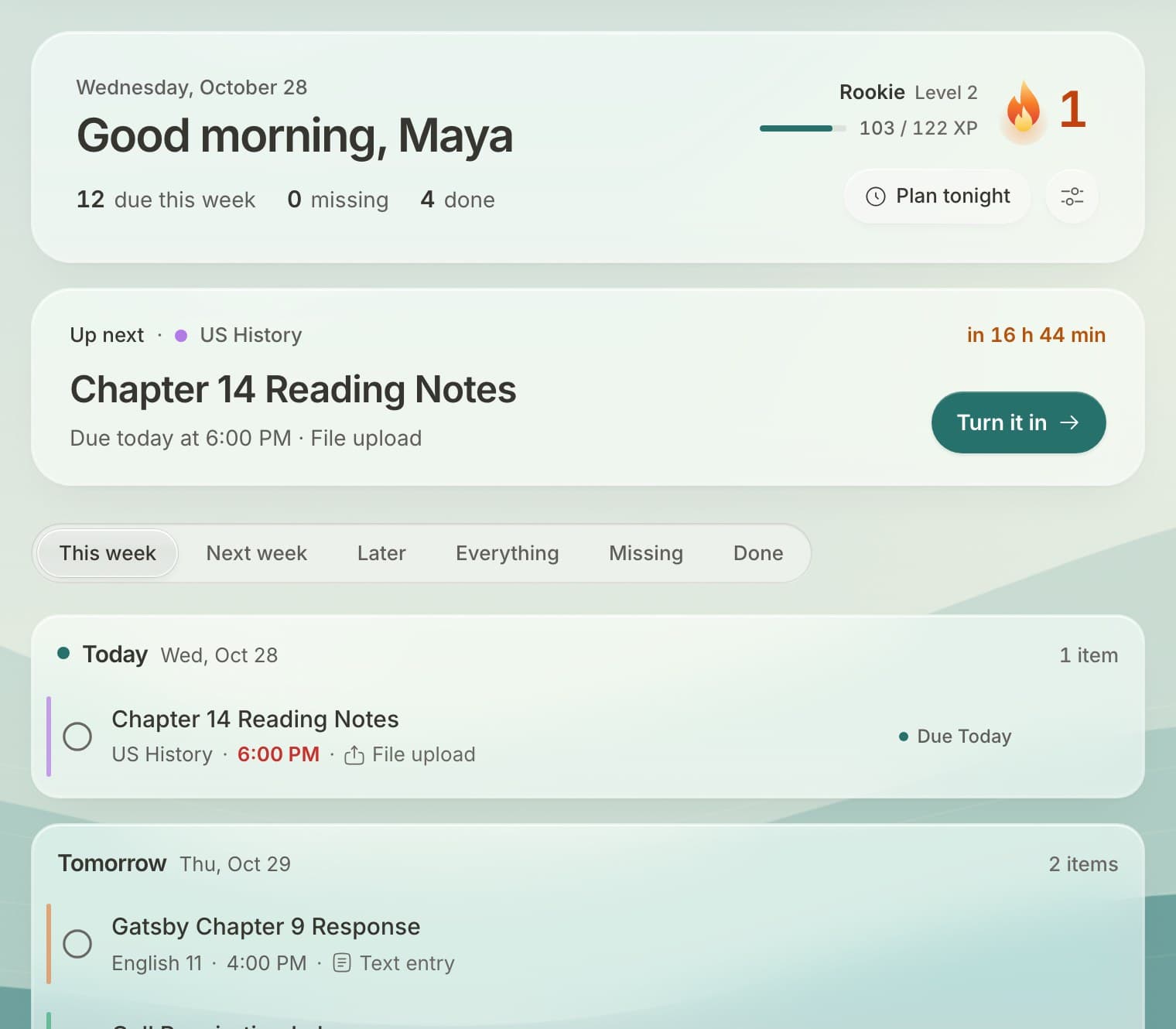
The Canvas Student app is organized by class. Docket is organized by what's due, so you open it and see your whole week across every class.
What's different
- One week, every class: no clicking into each course to find what's due.
- Turn in from anywhere: open an assignment from your list or calendar and submit it.
- What-if grades: try scores and see what they'd do to your grade, using your class's real weights.
- One inbox: announcements, teacher messages and comments on your work together.
- Your own tasks and calendars next to your assignments.
- Looks the way you like: backgrounds, dark mode, streaks and rewards.
Use both
You don't have to give anything up. Keep the Canvas app for what you like about it, and use Docket to plan your week. Anything you do in one shows up in the other.
Set it up
- Sign up free at docketplanner.me.
- Find your school and connect Canvas.
- On your phone, add Docket to your home screen.
Questions
Does Docket replace Canvas?
No. Your school still uses Canvas, and Docket reads from it. Docket is a different way to see and do your work, built around your week instead of each class.
Can I still turn things in?
Yes. Files, text, links and recordings go straight to Canvas, the same as turning them in there.
Is there a phone app?
Docket works in your phone's browser. Add it to your home screen and it opens like an app, with notifications.
Is Docket made by Instructure?
No. A student made Docket. It isn't affiliated with Instructure, the company behind Canvas.
Free for every student on Canvas.
Connect your school's Canvas in about a minute. No ads, and your data is never sold.
Get Docket free