Canvas to-do list
Every Canvas assignment, in one to-do list.
Canvas spreads your work across every class. Docket gathers it into one list, soonest first, so you can see everything that's due and check it off.
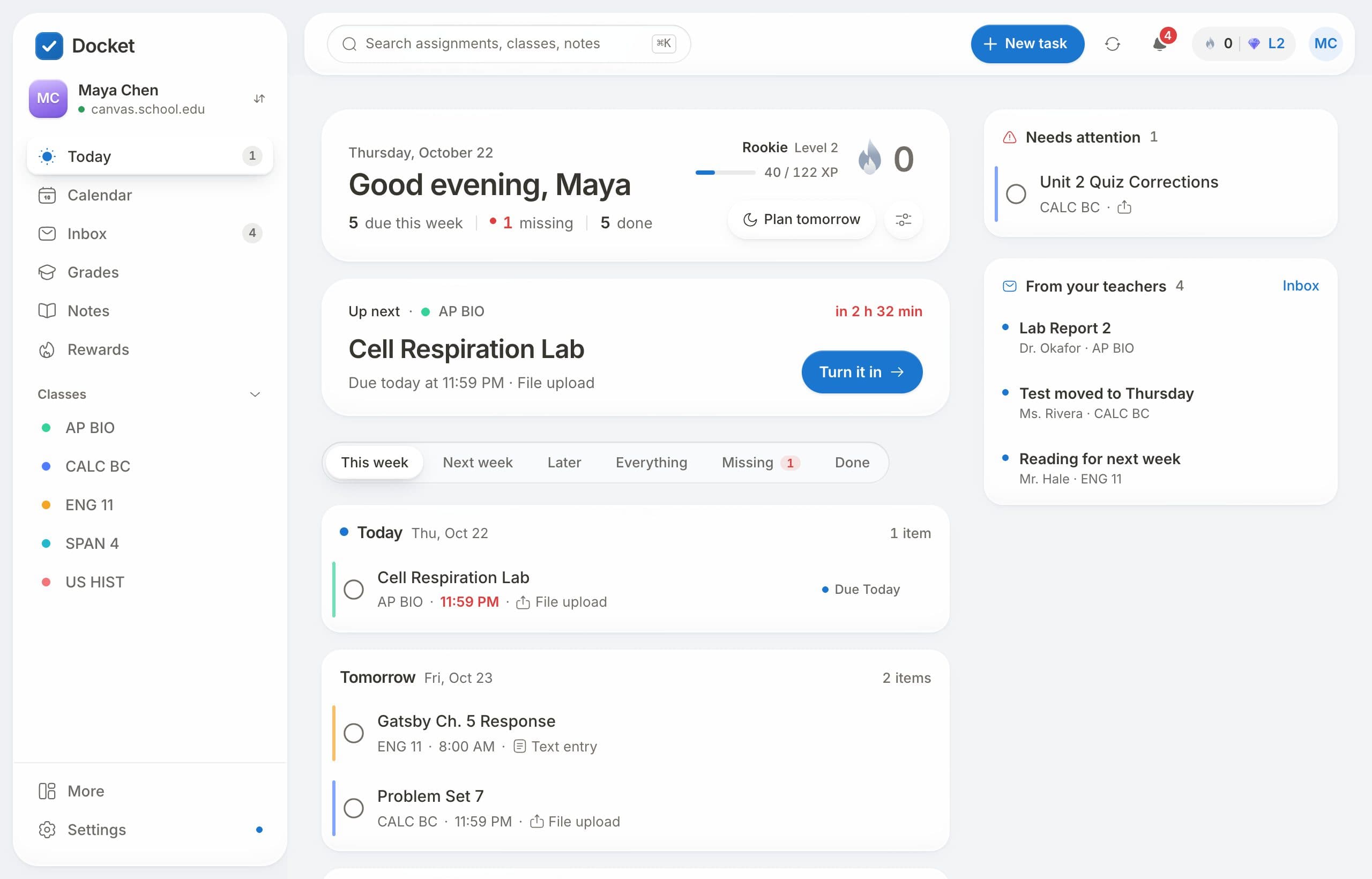
One list instead of eight tabs
Each class keeps its own assignments, modules and announcements, so it's easy to miss a small one. Docket brings in the work from every class and sorts it by due date: today, tomorrow, this week and later.
What's in the list
- Assignments, quizzes and discussions from every class.
- Missing work marked clearly.
- Your own tasks mixed in with your Canvas work.
- Turn it in from the list: open an assignment, drop your file and it goes to Canvas.
Set it up
- Sign up free at docketplanner.me.
- Find your school and connect Canvas.
- Your to-do list fills in right away and stays up to date.
Questions
How do I see all my Canvas assignments in one place?
Connect Canvas to Docket. Its Today page lists the work from all your classes together, sorted by when it's due.
Does it show missing work?
Yes. Missing assignments are marked so they don't get lost.
Can I add things that aren't on Canvas?
Yes. Add your own tasks with a due date and they go in the same list and on the calendar.
Is it free?
Yes. Docket is free for students, with no ads.
Free for every student on Canvas.
Connect your school's Canvas in about a minute. No ads, and your data is never sold.
Get Docket free