Canvas planner
Every Canvas class, in one planner.
Docket pulls your assignments, due dates, grades and teacher messages from Canvas and lays out your week, so you stop clicking through every class to find what's due.
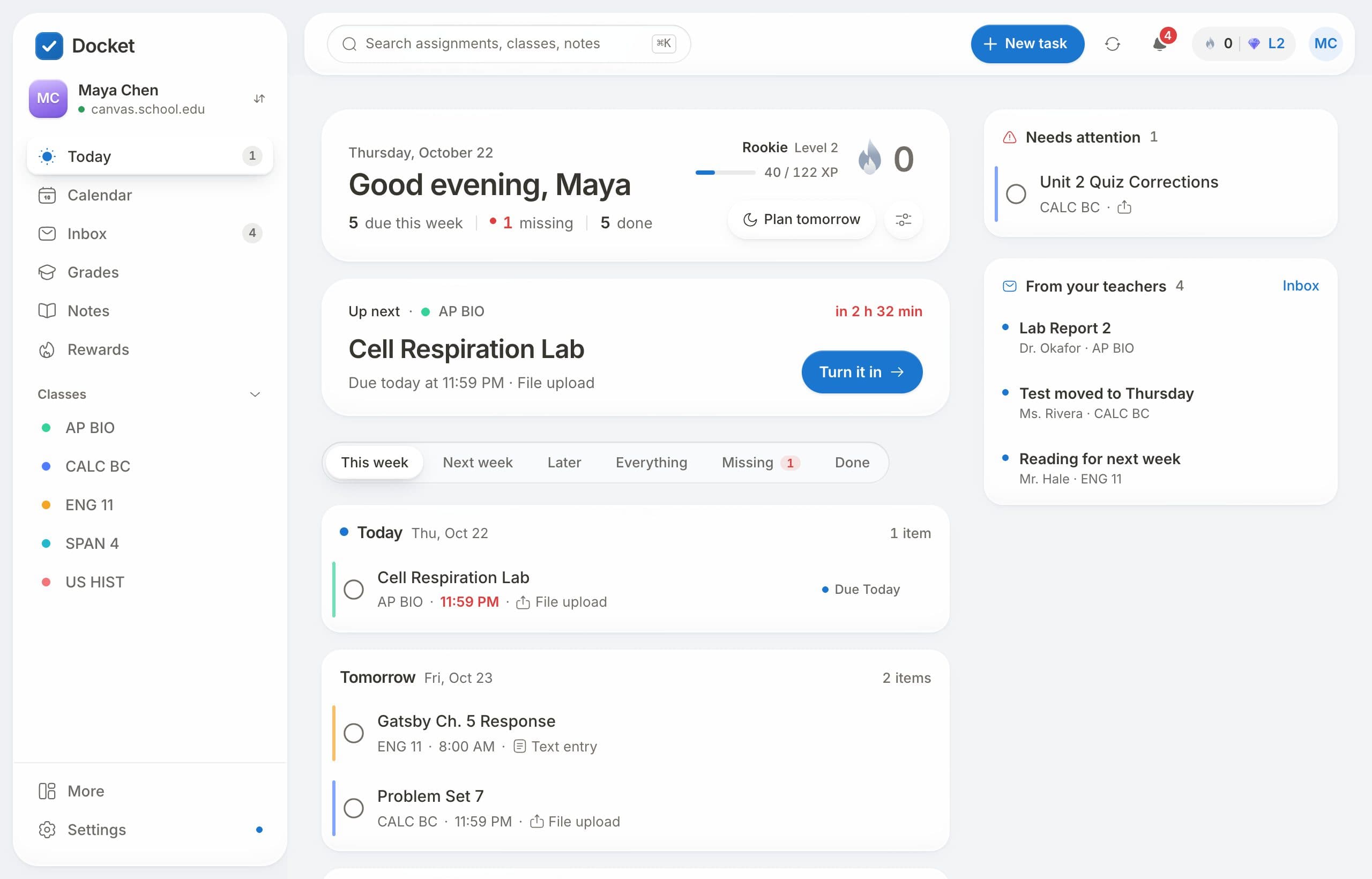
What Docket does with your Canvas
- Today: what's due today and this week, across every class, in order.
- Turn in from Docket: upload files, write text, paste links or record, and it goes straight to Canvas.
- Grades: every class's grade with what-if scores, so you can see what an assignment would do to it.
- Inbox: announcements, teacher messages and comments on your work in one place.
- Your own tasks: add anything else, with a due date, and it sits beside your assignments on the calendar.
- Reminders: a heads-up before things are due, on your phone or computer.
How to set it up
- Sign up free at docketplanner.me.
- Find your school (or paste your Canvas address).
- Connect with one click. Docket brings in your classes and work right away.
Does it work with my school?
Docket works with Canvas at high schools and colleges. If your school uses Canvas, you can connect it. Docket only reads what your own Canvas account can see, and it only changes Canvas when you ask it to, like turning something in.
Questions
Is Docket free?
Yes. Docket is free for students, with no ads.
Does Docket work with my school's Canvas?
If your school uses Canvas, yes. Find your school when you sign up, or paste your Canvas address.
Can I turn in assignments from Docket?
Yes, for assignments that take files, text, links or recordings. They arrive in Canvas the same as if you used Canvas.
Is Docket made by Instructure?
No. A student made Docket. It isn't affiliated with Instructure, the company behind Canvas.
Free for every student on Canvas.
Connect your school's Canvas in about a minute. No ads, and your data is never sold.
Get Docket free